Planner
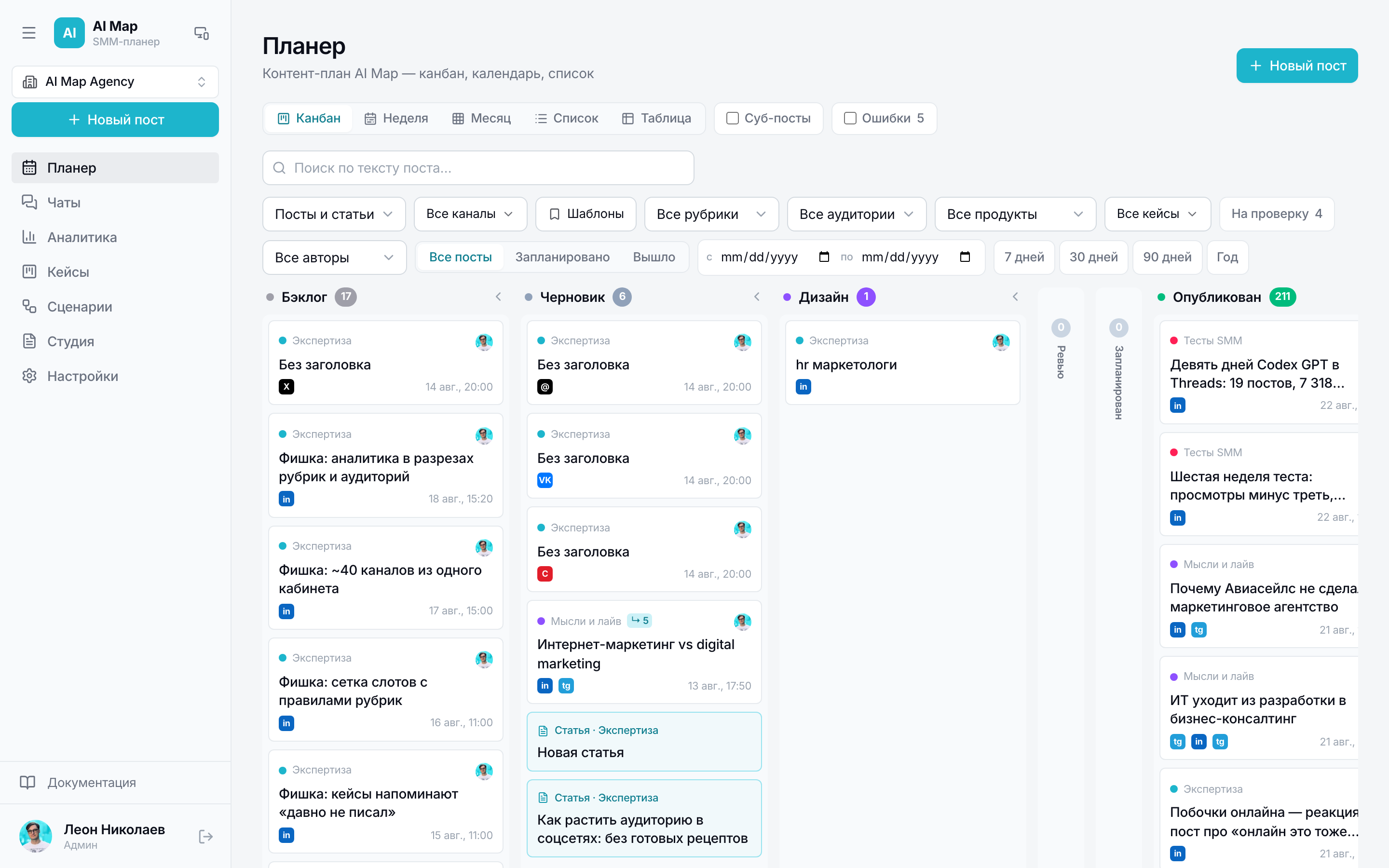
Calendar and post table: how the post card, statuses and sub-posts are arranged.
Section in the service: /planner
The Planner shows the same base six ways: kanban, week, month, list, table and statistics. Switching the view changes nothing in the data — only how it's convenient to look. Articles from the Studio live in the same calendar, so long reads and posts are visible together.
What's inside a post
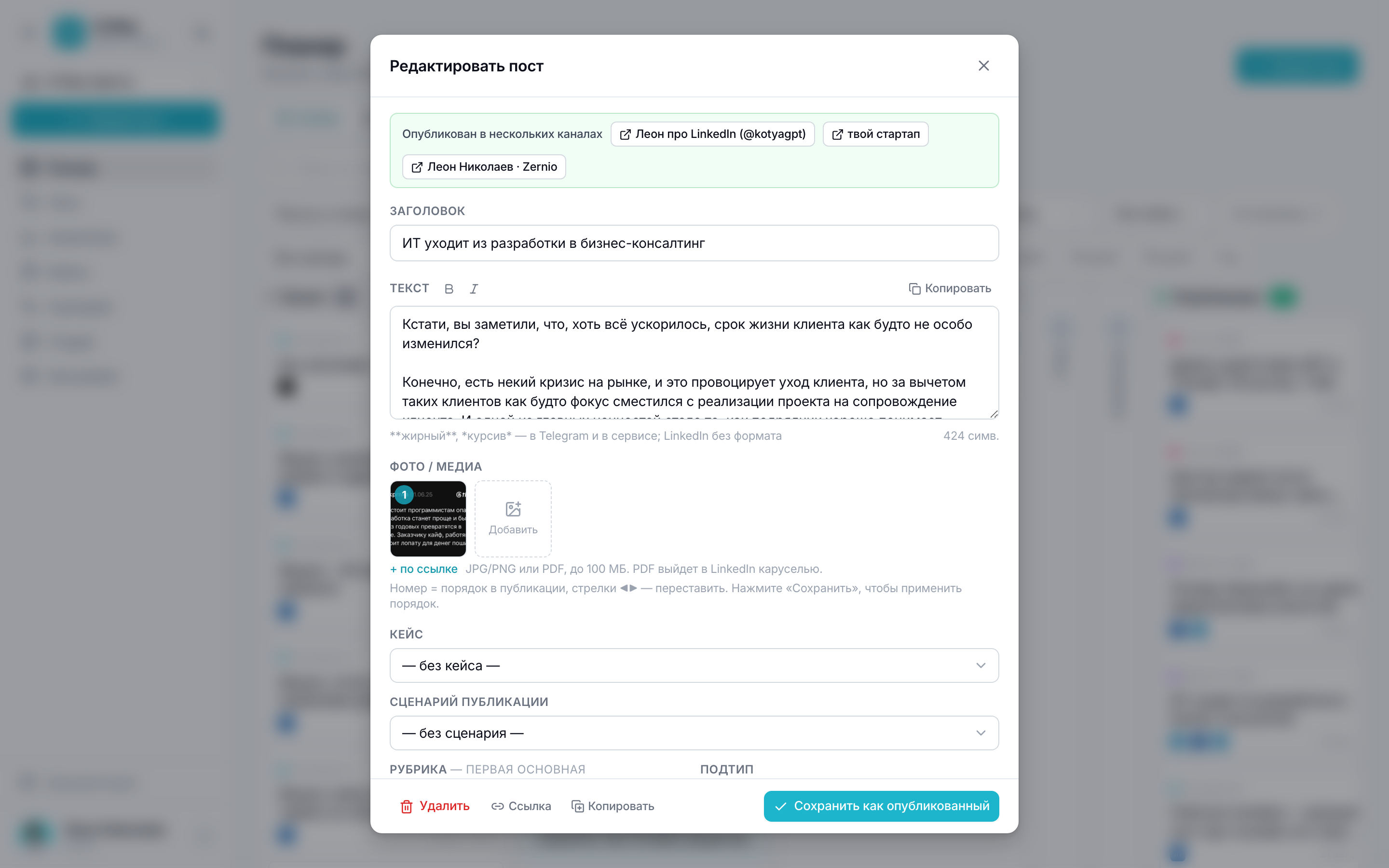
A post card isn't “text and a date” but a record with every dimension. At the top you can see where the post has already gone out, with links to the live publications.
- Title — for you and the planner; the text goes to the network, not the title.
- Text with markup: **bold** and *italic* work in Telegram and in the service, LinkedIn doesn't accept formatting. A character counter on the right.
- Photo and media: JPG/PNG or PDF up to 100 MB, order is set by numbers. A PDF goes to LinkedIn as a carousel.
- Case — which project the publication belongs to; the case summary is later calculated from these posts.
- Publishing scenario — if the post starts a chain of continuations.
- Tags: topic and extra topics, subtype, audience, product, weight. All analytics is sliced by them.
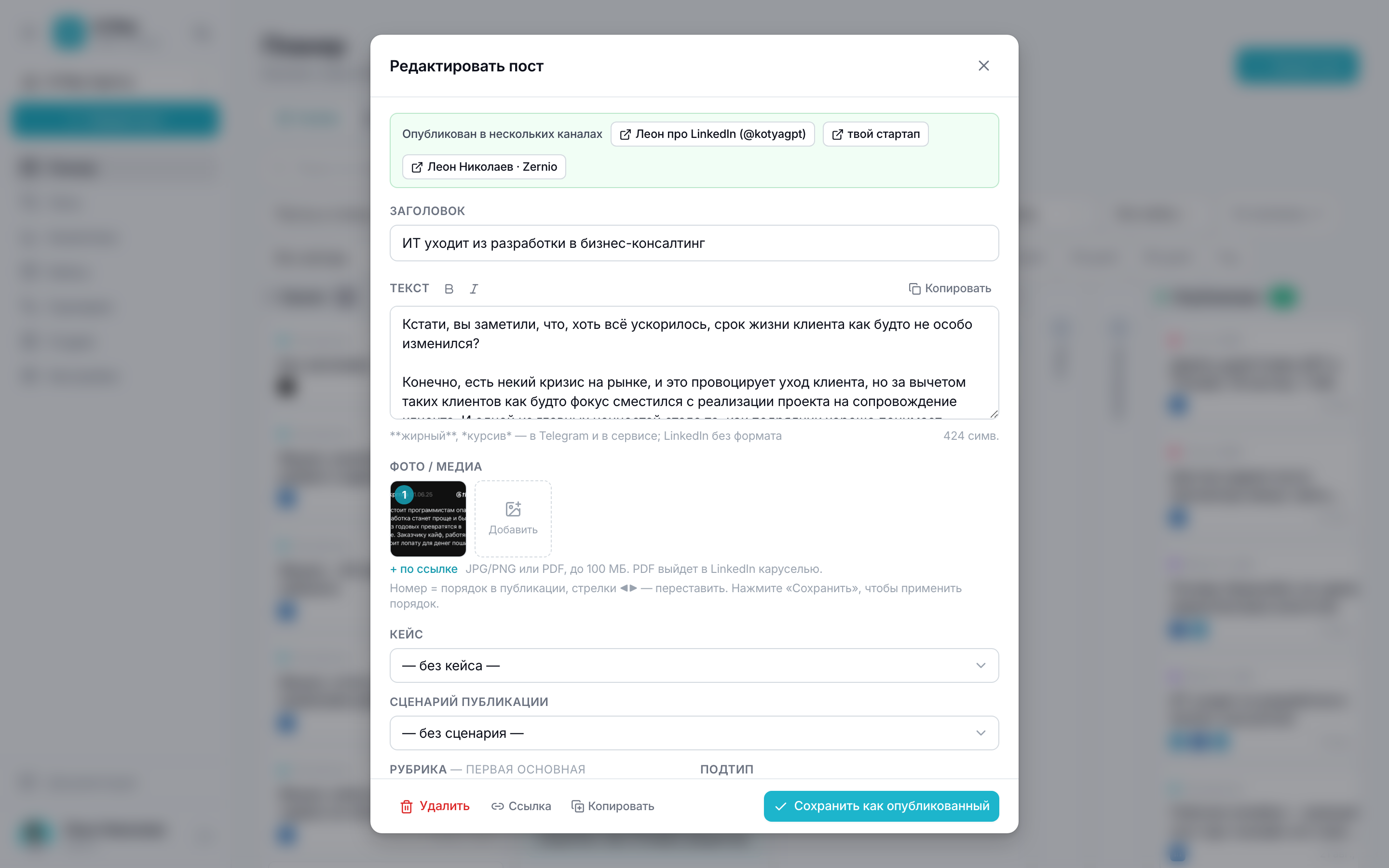
- Channels — where to publish; each has its own text, status, link and metrics.
- Date and time — planned before going out, actual after.
Channels inside a post
Further down the card — channel selection and text for each. Empty — the shared text goes out, filled in — the custom one. There's also the link to the published post and manual numbers if the platform doesn't return them.
Statuses
- Backlog — an idea, no date assigned.
- Draft — the text is being written.
- Design and For review — approval stages; things marked manually or tagged ambiguously go to review.
- Scheduled — the date is set, the publisher will take the post itself.
- Published — went out to at least one channel.
- Error — no channel went out; the reason is visible on the target itself.
A post's status is assembled from its channels' statuses: went out anywhere — the post is published, while a failed channel shows as a separate line with the error text.
Sub-posts and repackaging
One piece of material often spreads across platforms as different texts. Then the parent post remains the flagship, and adaptations live as sub-posts. Sub-posts don't count in analytics totals — otherwise one publication would be counted several times.
Each subtype has its own default set of platforms: the repackaging button arranges channels for you. Telegram is filled in automatically only if the project has one channel — with several, the choice stays with the person.
Chains and republishing
- A chain in the feed — the first part goes out as a post, the rest as replies to it (Threads). In the post card you choose which post the continuation follows; don't write “1/3” numbering in the text — the platform numbers the thread itself. The chain is published as a whole: “Publish” on the first part, the continuations follow.
- “Publish again” — for a post that has already gone out: for example, the post on the platform was deleted. The old targets are reset and the post goes out once more; if the post wasn't deleted, there'll be a duplicate.
- A post with media doesn't go out in the first two minutes after creation — so the files have time to finish uploading and the publication doesn't go out without the photo.
Manual numbers
Where the platform doesn't return statistics, views and comments can be entered by hand, and the link to the published post pasted into the card. In analytics such numbers are marked as entered manually.
Enter only real numbers from the post page: a made-up figure spreads across every breakdown and surfaces later in the report.