Cases
A portfolio that fills itself: posts are linked to a case and bring it statistics.
Section in the service: /cases
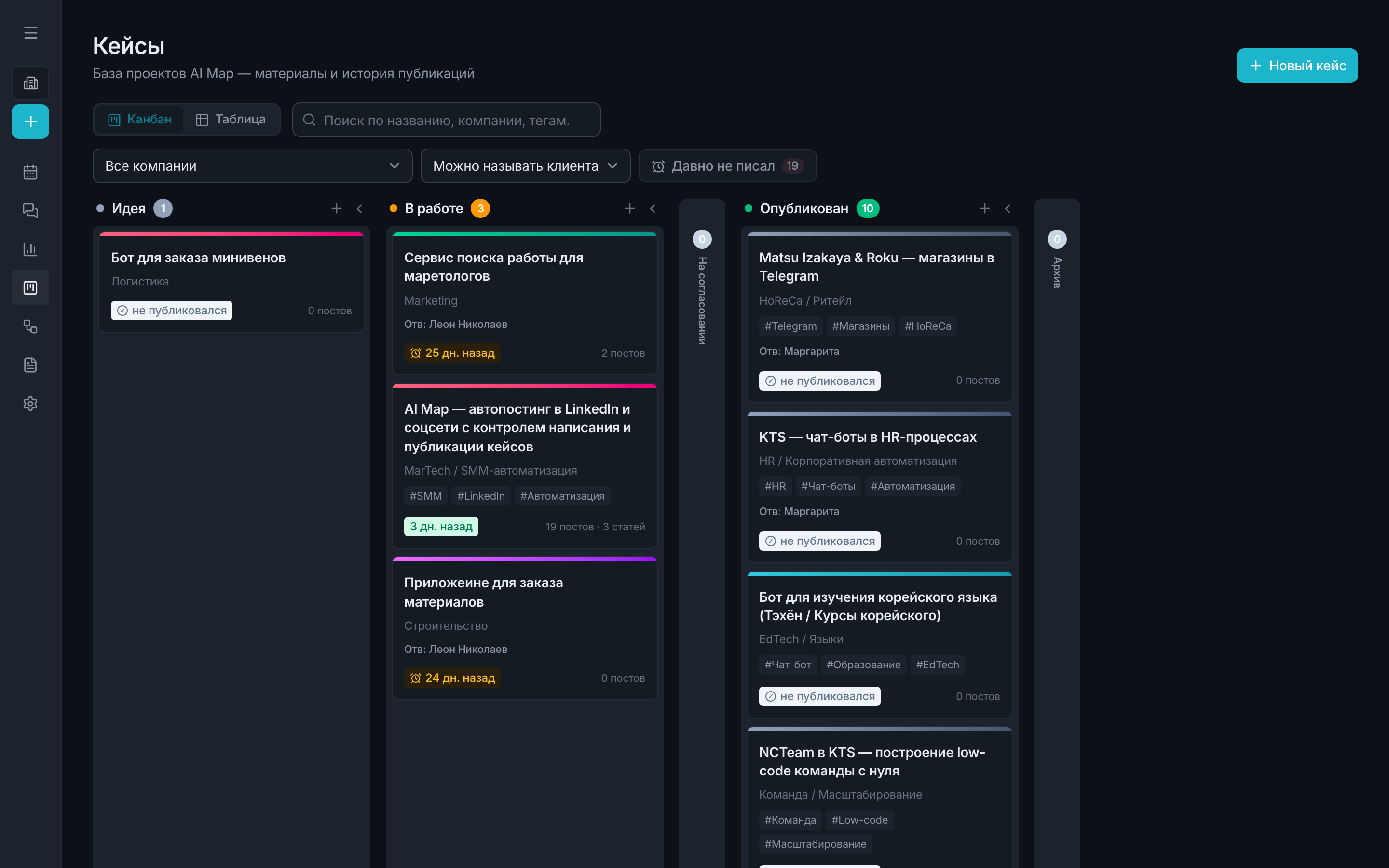
A case is a project or client card that publications attach to. The point is that the portfolio is assembled as you work: you just tag posts with a case, and the summary is calculated on its own.
What's in the card
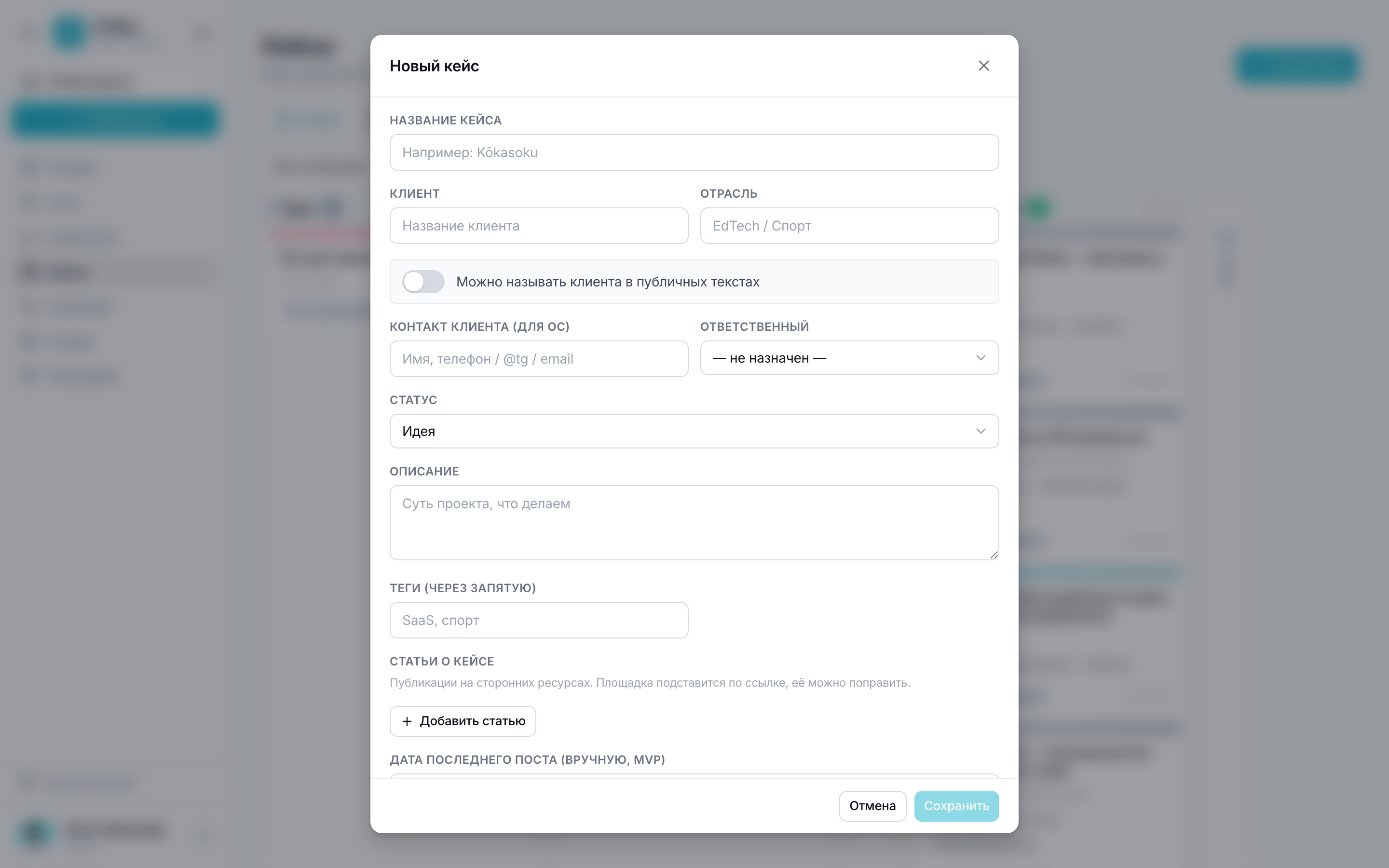
- Name, client and industry, description, cover.
- The “client can be named” flag — by it cases are divided into public ones and those under NDA.
- Status: idea, in progress, published, archive — the kanban is built on them.
- External links: articles and publications about the project on third-party sites.
- Tags — your own labels for search and grouping.
Publicity and NDA
By default the section shows only cases where the client can be named: the list is often opened in front of people and shown from the screen. The publicity switch remembers your choice, so having switched to “Any”, you'll stay there next time too.
The publicity flag doesn't hide a case from the workspace team — it only helps not to show something extra by accident.
Case publications
A post is linked to a case right in the editor, and from the case card you can create a new post straight away — the case is filled in automatically. All of a case's publications are gathered in its card with links to the published posts.
The case summary is calculated from the same metrics as analytics: how many publications, impressions, reactions and comments it collected.
“Not written for a while”
Each case shows the date of its last publication, and the “Not written for a while” filter shows those you've forgotten about. It's the most useful button in the section: usually it's the best projects that get forgotten.