CRM
A deal kanban on top of messaging: a contact becomes a card, and the conversation “on substance” sits right in it.
Section in the service: chats.aimap.agency/crm
CRM in Chats doesn't require creating deals by hand. Every contact you've had messages with is already on the board: commenters and public chat participants — in the “Networking” column, DMs and bot requests — in “New”, then the card moves along the statuses. The board is built like a backlog: collapsible columns, tags, a product pill, search and filters by source and owner.
A deal can also be created by hand — the “+ Deal” button: an empty card goes straight into the default column and opens in the usual deal window; you link the person's account or email right there. If that account already belongs to someone in the workspace, the deal is added to their card — no duplicate. The source of such cards is “manual”.
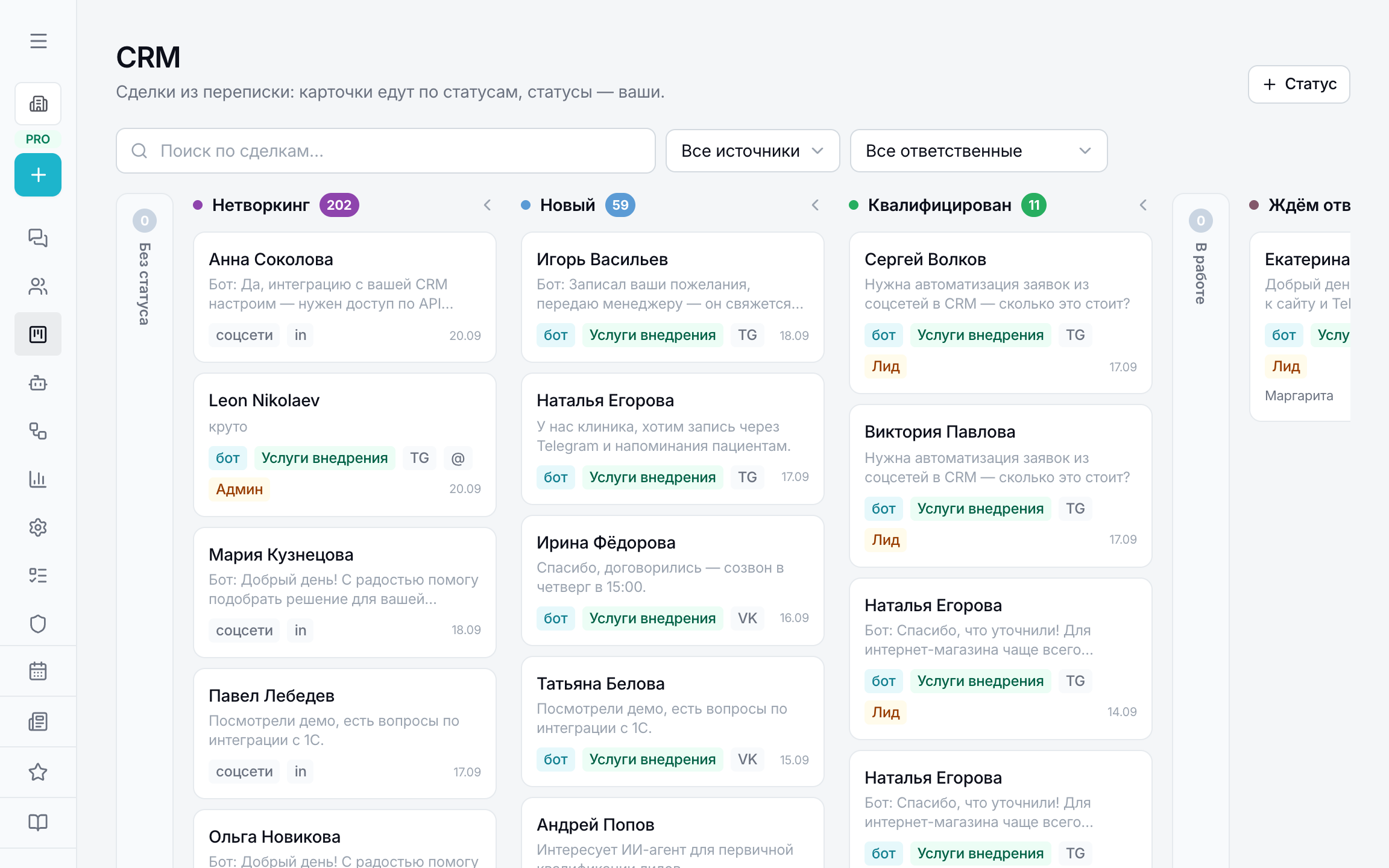
Statuses
- “No status” — the first, collapsed column: nothing lands here on its own, it's a place for cards you've taken off the funnel.
- “Networking” — step 0: comments and public chats. The person hasn't asked for anything yet, but is already talking to you.
- Then — your funnel: New, Qualified, In progress, Awaiting reply, Closed, Lost. Statuses are created and reordered with the “+ Status” button, each has its own colour; the “qualified”, “closed” (= won) and “lost” flags are needed by analytics to count the customer's path.
- A card moves by dragging on the board or with the status switch in the card header.
Deal card
Opens as a window over the board, the address /crm?ws=…&deal=… can be sent to a colleague. On the left — deal fields: status, service, owner, task, budget, industry, region, details, tags and tasks. On the right — the feed: conversations “on substance” (the “post or chat the messages were under” block with messages), status and owner change events.
You can write to the customer from the card — to Telegram, VK, direct, WhatsApp, the widget or the agent's bot. There's no official access to LinkedIn and Threads DMs, only comments there — the composer will tell you and offer to reply under the post.
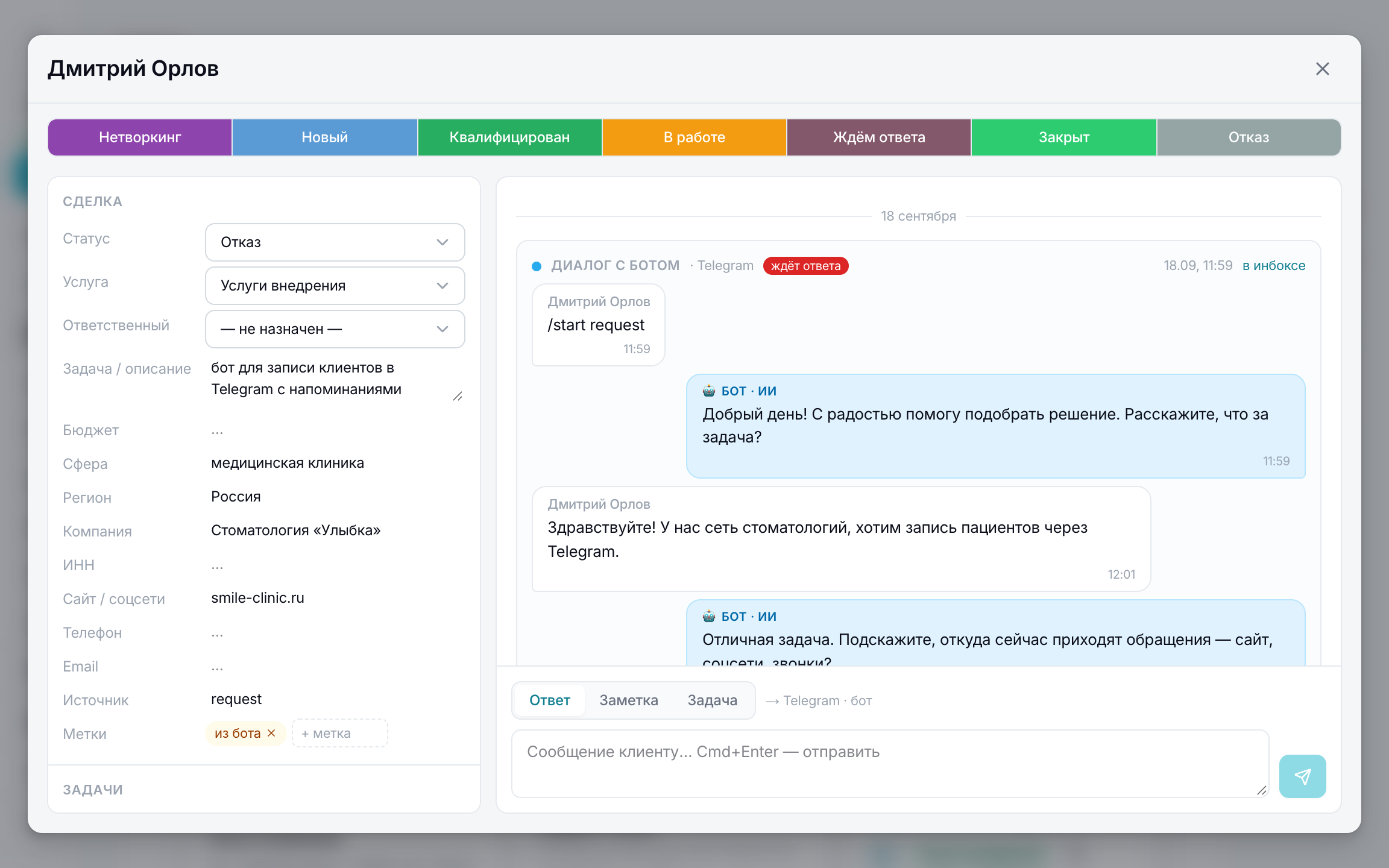
The deal's product, topic and audience — from the workspace's tags, the same directories as for posts. A card created from a comment inherits them from the post, and the post itself is visible in the “Source” field.
Deals via the assistant
The assistant creates deals itself via MCP: the create_deal tool accepts a name, profile links, product/topic/audience, a status by column name, owner, tags, description, budget, company, phone, email, source — everything known from the context. If the account already exists, the deal is added to the existing card.
check_contacts accepts a list of up to 500 people (name, link, email, phone) and answers for each: whether they're in contacts, what matched, whether there's a deal and in which status. list_crm_statuses returns the column names.