AI agents
A constructor of assistants for Telegram: instructions, knowledge base, actions, your own bot — and all of it is built by your AI via MCP.
Section in the service: chats.aimap.agency/agents
An agent is an AI assistant that replies to customers in your Telegram bot on your behalf: consults from the knowledge base, finds out the task, calls a manager when a human is needed. The section lives in Chats: agent conversations land in the shared inbox, and the operator replies from there — the message goes through the agent's bot.
An agent can be built by hand in its card, but it's designed for something else: you connect Chats to Claude Code or Codex via MCP and tell the assistant which agent you need. It writes the instructions itself, lays out the knowledge base, describes the actions and runs the tests.
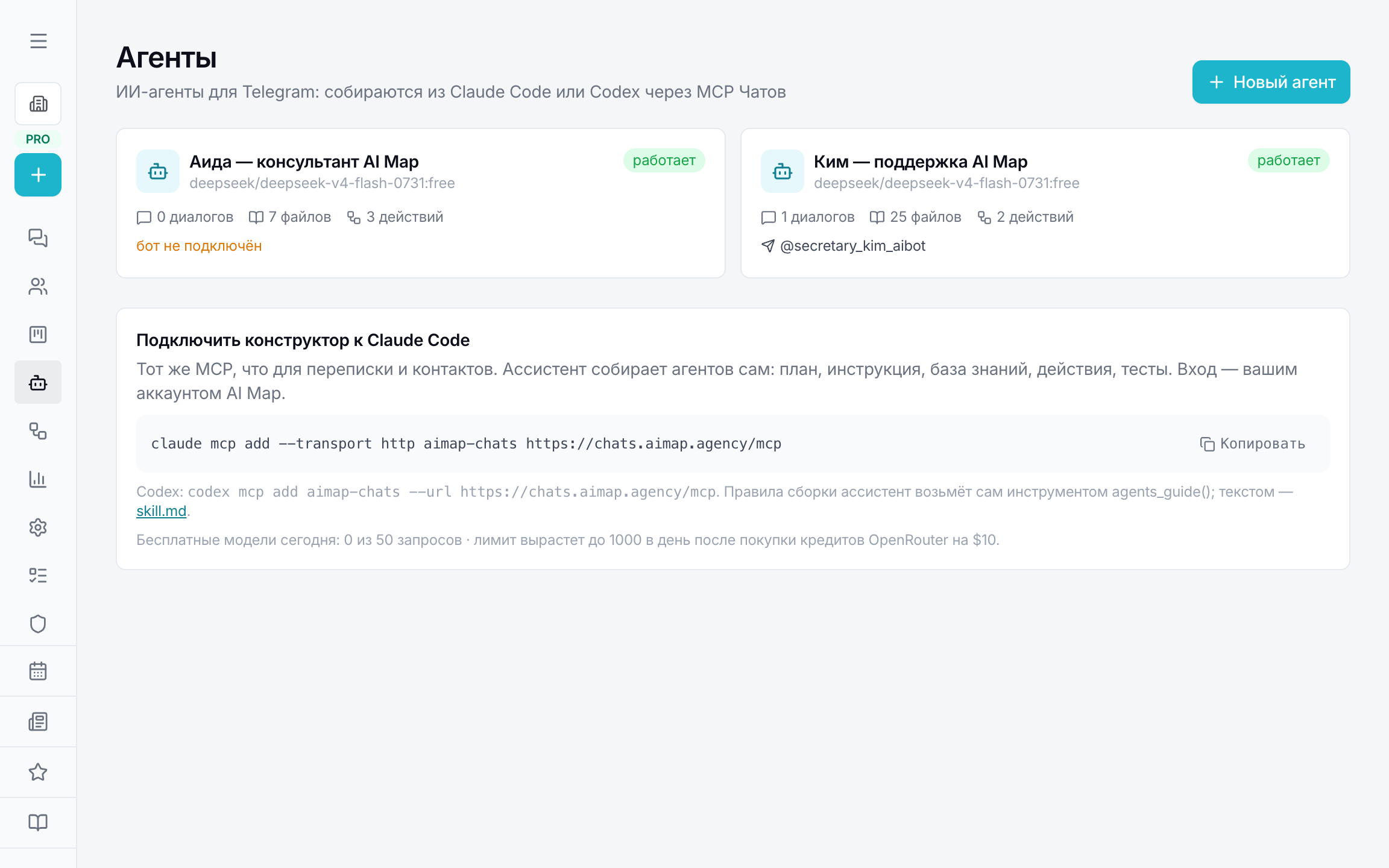
What an agent consists of
- Instructions — role, goal, boundaries and the /start greeting. The more specifically it's described what the agent doesn't do, the less it makes up.
- Knowledge base — articles and files. Type faq — one question, one file: the agent takes the whole file. Type doc — a large document it searches for fragments.
- Actions — functions the model can call: webhook, Telegram notification, message to the customer, dialog variables, calendar slots. Described as JSON with arguments.
- Channel — your own Telegram bot via BotFather: the token is pasted in the tab with the bot's name, the manager's chat id and the delay before replying are there too. In it the agent works autonomously; in other channels it can be called to a specific message from the queue.
- Model — OpenRouter, up to three models in a chain: if the first is unavailable, the next one replies.
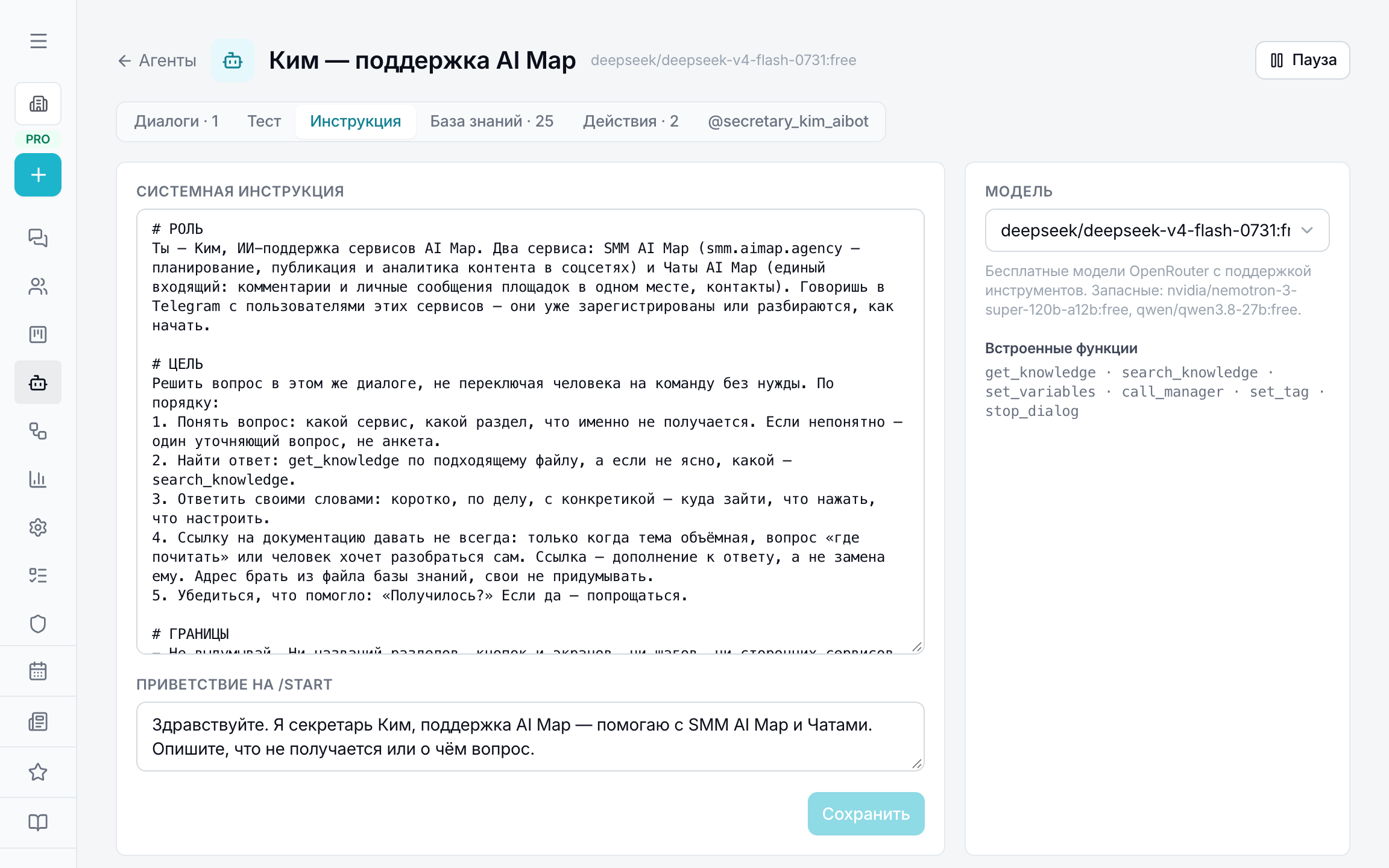
What the agent can do itself
Besides your actions, every agent has built-in tools: get_knowledge and search_knowledge — read a knowledge base file or search it; set_variables — remember facts about the customer in dialog variables; call_manager — call a human (a Telegram notification to the manager); set_tag — tag the conversation; stop_dialog — go quiet when a human runs the conversation.
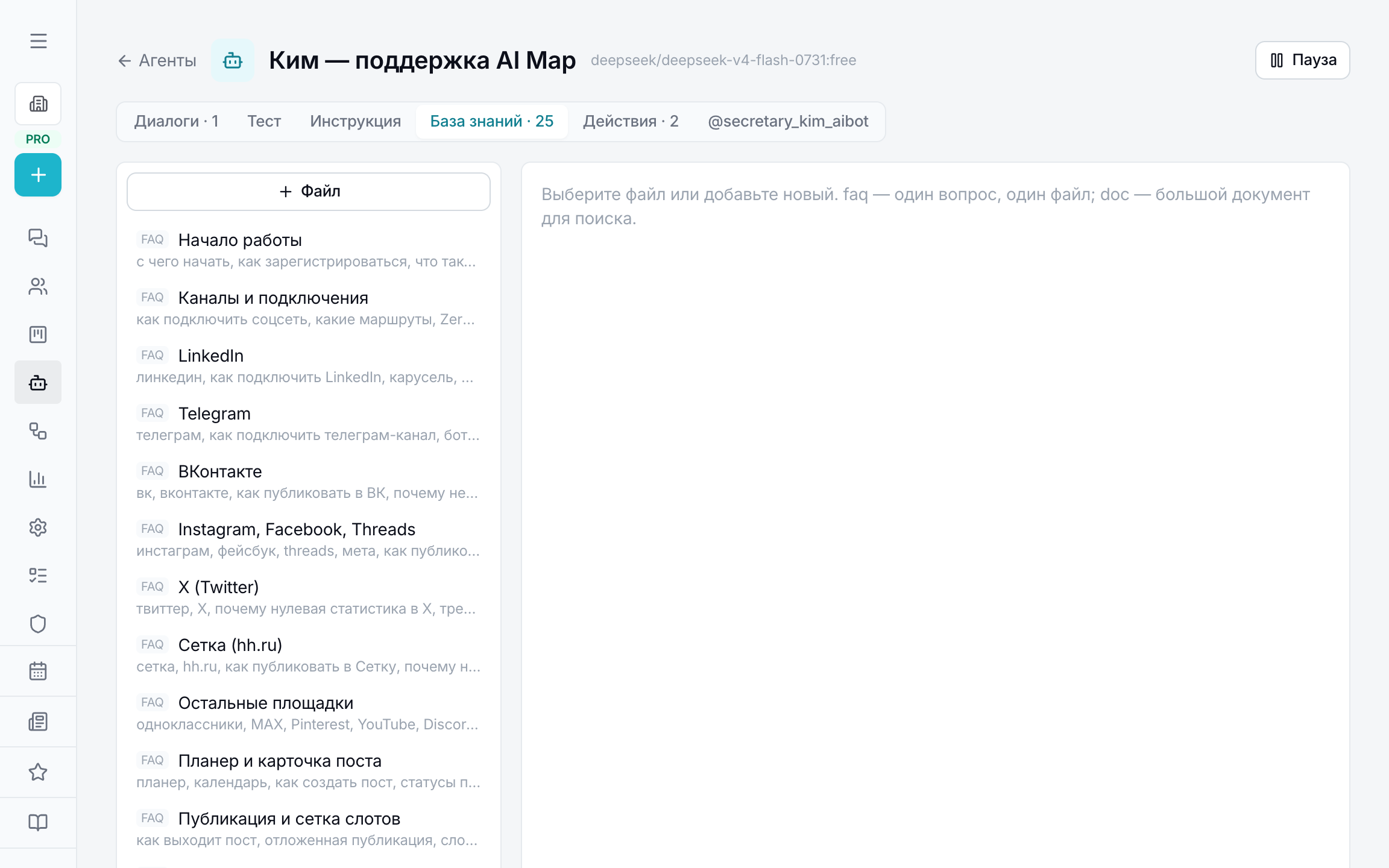
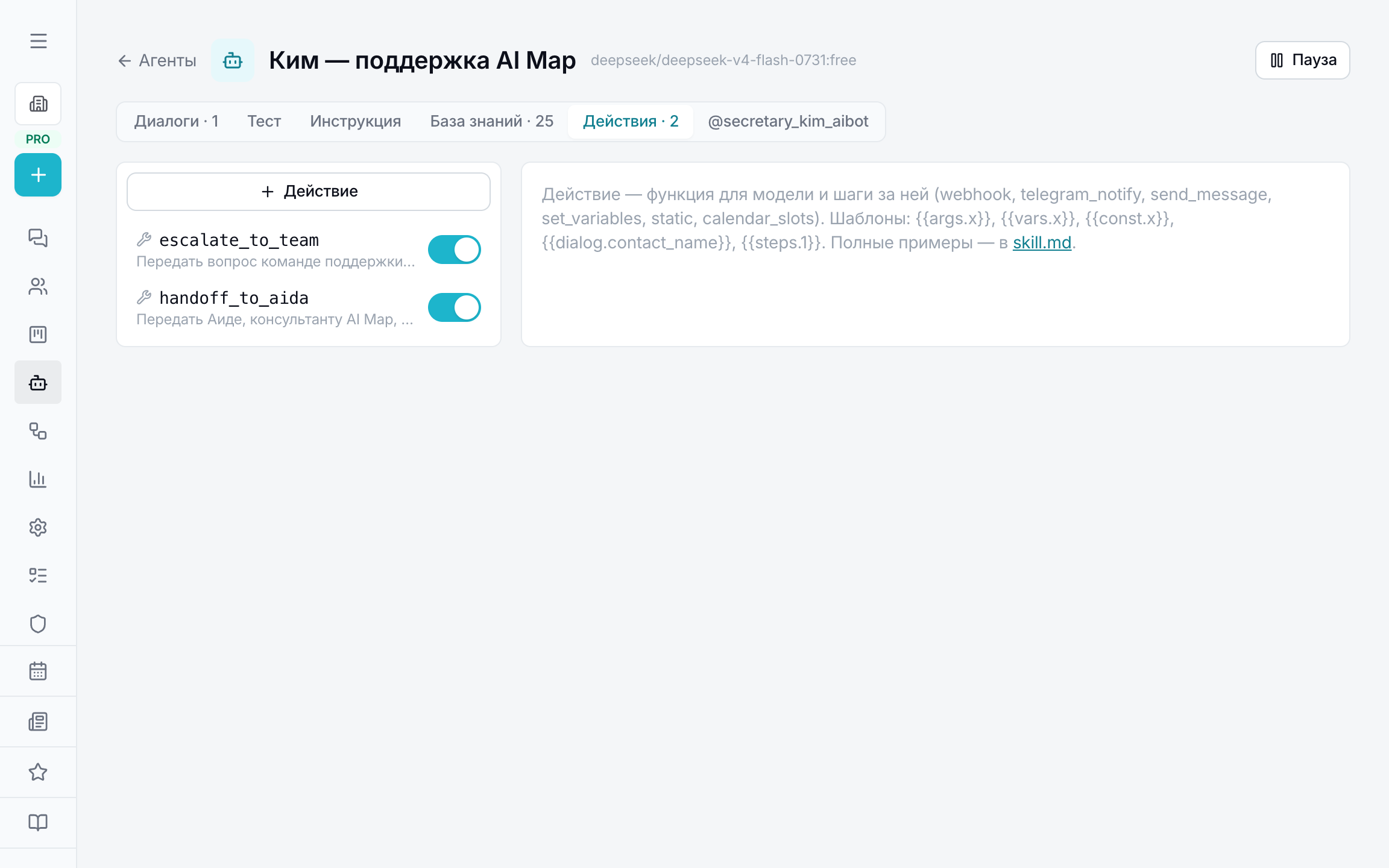
Check before launch
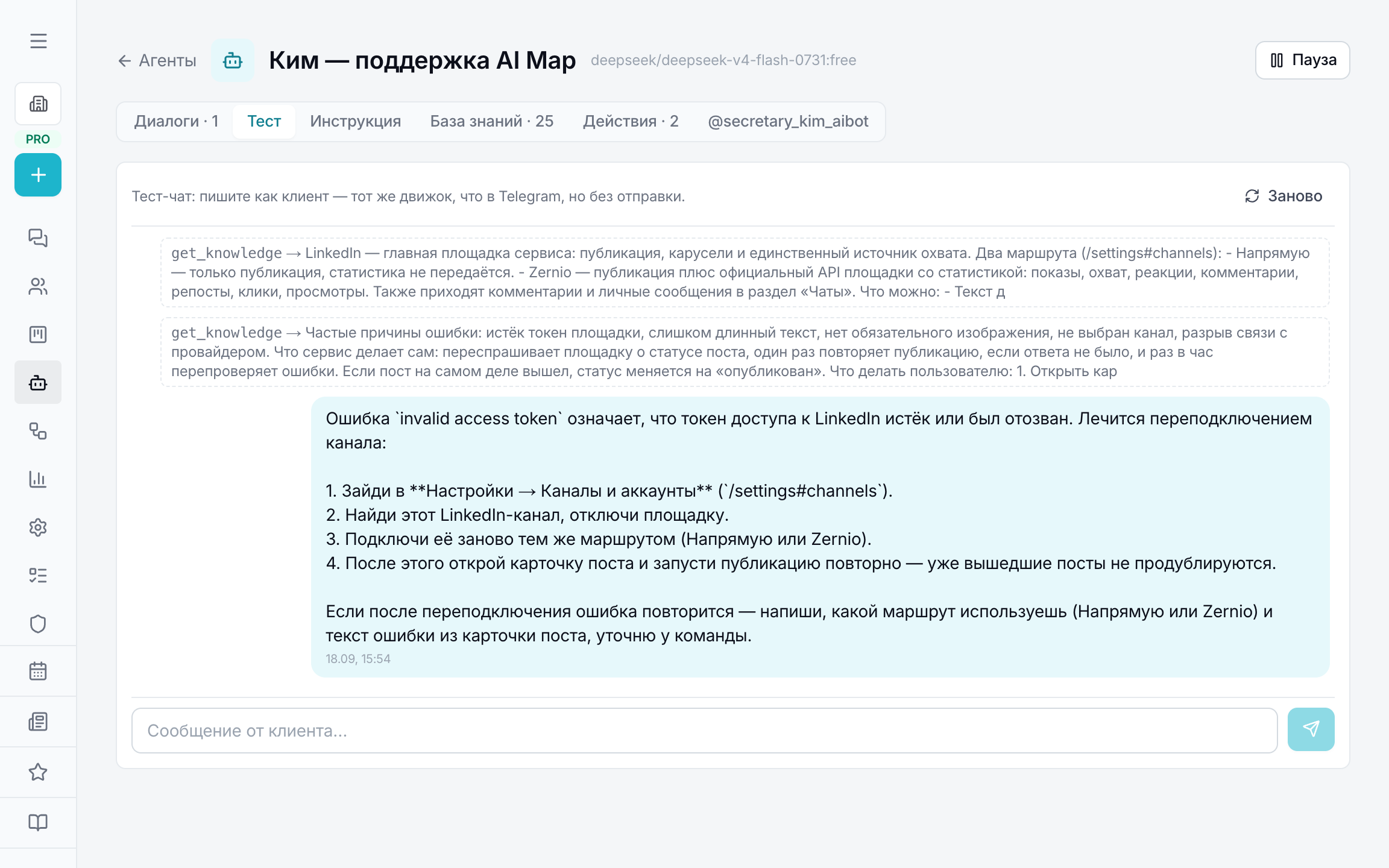
The “Test” tab — the same engine as in Telegram, but nothing is sent: you write as a customer, see the reply and the tool calls in grey — which file it read, which action it fired. “Start over” resets the context. That way instructions are debugged in minutes, not on live customers.
Conversations and handover to a human
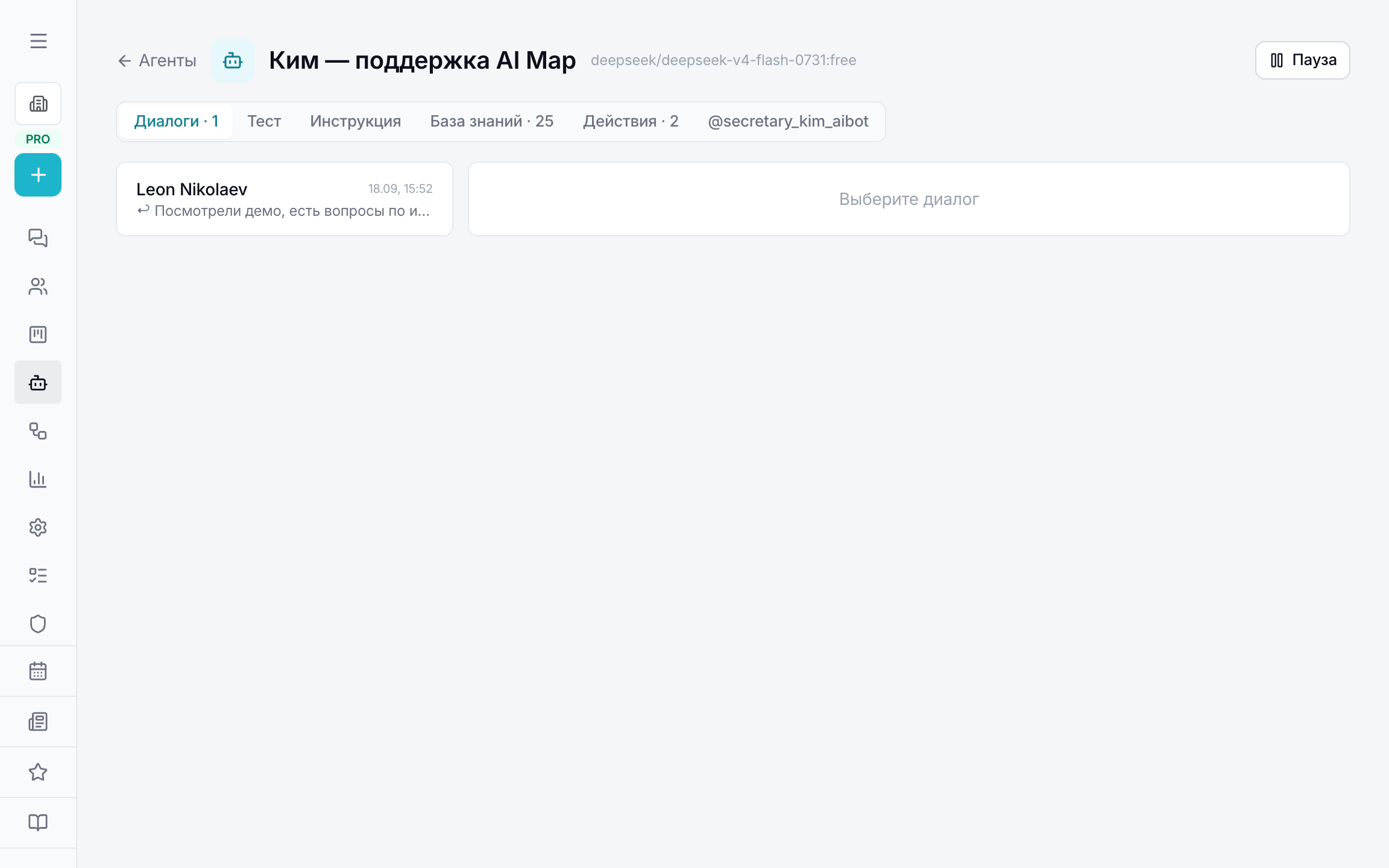
The “Conversations” tab — the bot's messages with customers; the same conversations are visible in the inbox with the “agent” provider. You can reply on behalf of the bot as an employee — the customer sees the message in the same chat. The “Pause the agent” button stops the bot in a specific conversation, “Pause” at the top — entirely.
Build via Claude Code or Codex
- 1Connect Chats as an MCP server: claude mcp add --transport http aimap-chats https://chats.aimap.agency/mcp (for Codex — codex mcp add aimap-chats --url https://chats.aimap.agency/mcp). The command with a “Copy” button sits at the bottom of the “Agents” section.
- 2On the first request a sign-in opens — sign in with your AI Map account. The assistant works on your behalf and sees only your workspace.
- 3Say whom to build: “a support agent for our service, the base is our documentation, on errors it calls the team”. The assistant takes the build rules itself via the agents_guide tool; the same rules as text — chats.aimap.agency/api/agents/skill.md.
- 4Check the result in “Test”, paste the bot token — and the agent replies to customers.
Free OpenRouter models are limited to 50 requests a day per workspace; after buying $10 of credits the limit rises to 1000. Today's counter is shown under the connection command.