Contacts
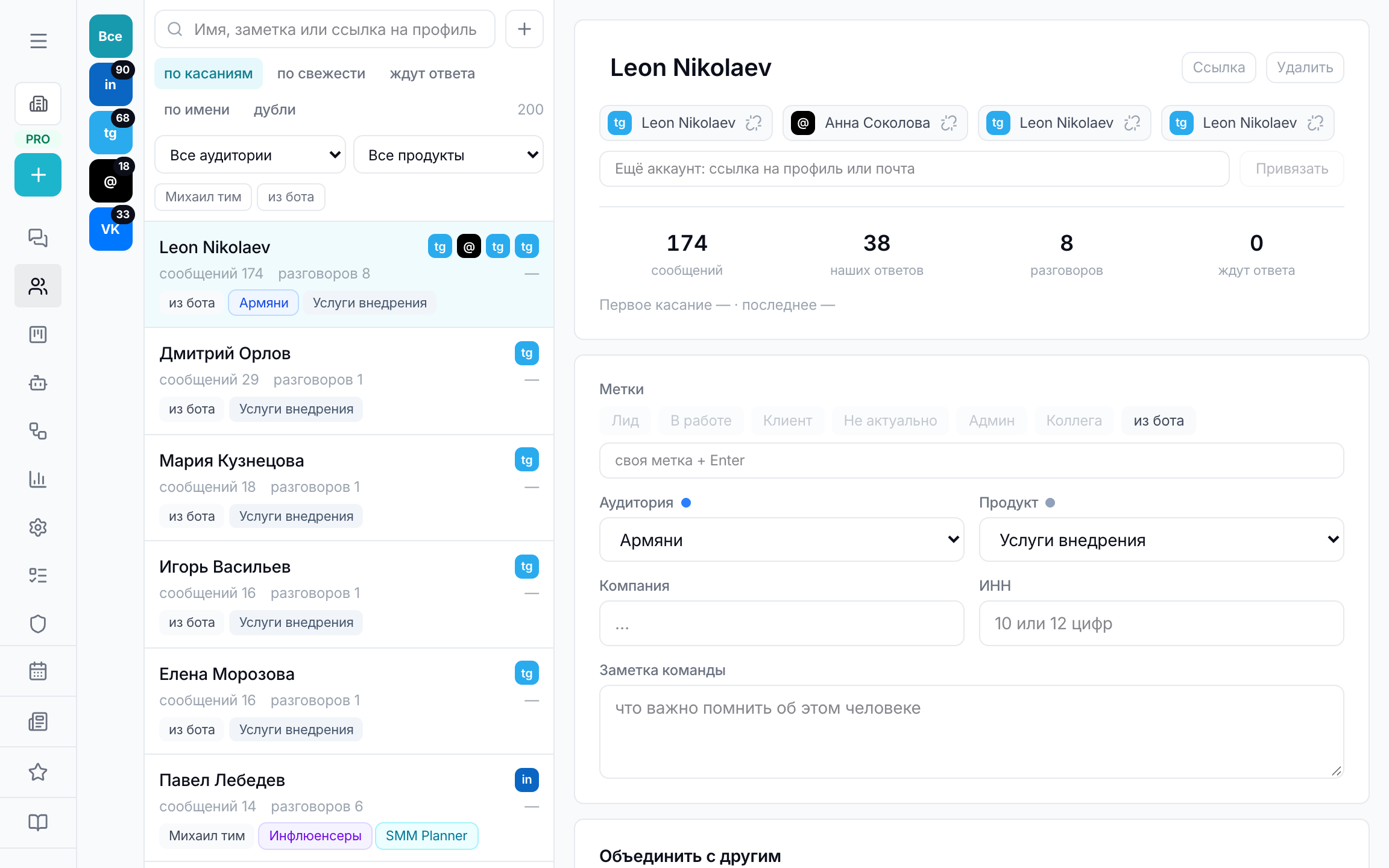
People, not conversations: one person — one card, even if they wrote from four places.
Section in the service: chats.aimap.agency/contacts
One comment thread is an episode, not a person. Someone who wrote six times under different posts is one contact: you can see how many times they reached out, on which networks and whether they got a reply.
The card is assembled on its own when a new message arrives: the platform account is linked to the person by a stable identifier, not by name — the platform may not send the name at all or send it shortened.
The section is arranged as a full-screen workplace, like Chats: on the left the platform rail, in the middle a list sorted by touches, recency, awaiting reply or name, on the right the person's card.
Merging accounts
One person can write from LinkedIn, Telegram and Instagram — that's three accounts and one card. Merging is done by hand: automation gets namesakes wrong, and the cost of a mistake is high — someone else's messages in a person's card.
The service suggests merge candidates by matching name or handle, but the decision is always yours. Made a mistake — the account is detached again and becomes a separate person.
When the platform didn't name the author
LinkedIn gives apps some commenters anonymised: only an identifier arrives, without name or handle. Such a person is shown as “LinkedIn member” with a “who is it?” mark.
The name is usually visible on the post page itself. The “See who it is” button opens the comment on the platform; then the person can be added to contacts — and they'll be recognised in all future comments, because their identifier is permanent.