Chats
Comments, direct messages, bot conversations — in one queue and with clear authorship.
Section in the service: chats.aimap.agency/inbox
The section is built as an operator's workplace, not a notification feed. Four columns from left to right answer their own questions: where (platforms), what to handle (conversation queue), what it's about (the messages) and whom I'm talking to (the person's card with contact history, links to contacts and to CRM).
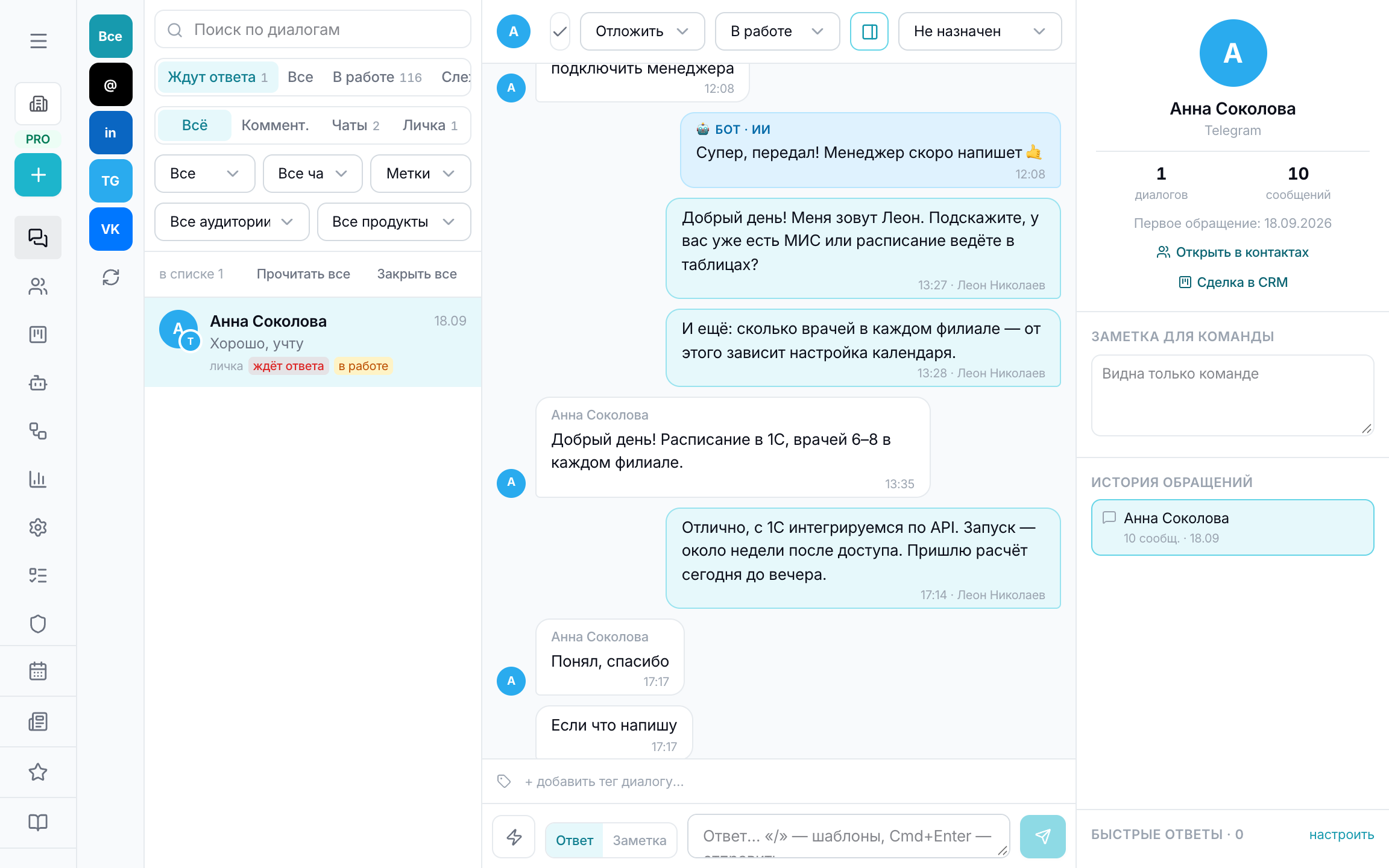
Where messages come from
- Telegram — via your own bot: direct messages to the bot and channel comments (they live in the discussion group, which needs to be connected to the channel).
- VK — community messages.
- Threads, Instagram and Facebook — via the official Meta connection or Zernio.
- LinkedIn — comments under posts (the platform doesn't give apps access to DMs).
- AI agents — conversations of your Telegram bots from the “Agents” section land here too.
Where a platform doesn't return messages via the API, there will be no conversations — that's a limitation of the platform itself, not of the connection.
Who replied — bot or human
Bot replies — light blue bubbles labelled “🤖 Name · AI”. Human replies — in the employee's avatar colour, so along the feed you can see who ran the conversation and where the bot handed it to a person. Each conversation has an owner — assigned at the top.
A conversation run by an AI agent has a bot panel in the right column: pause the agent in this conversation (you'll reply yourself), change status, add a tag.
Live updates
An open conversation refreshes every 3 seconds, the queue every 10, while the tab is active. Scrolling doesn't jump down while you read the history: a new message appears, but the screen stays where you were.
How to handle
The queue is divided into “awaiting reply”, “in progress”, “watching” and closed; the reply goes back to the platform right from here. Frequent replies are saved as templates (typed via “/”), a note for the team is visible only to colleagues.
In the person's card — “Open in contacts” and “Deal in CRM” links: it's the same person, and you can look at them as a contact, as a conversation and as a deal.