Channels and connections
Four routes to social networks: directly, Zernio, Buffer, SmmBox — and which is better when.
Section in the service: /settings#channels
Several routes often lead to one platform. They aren't equal: some only publish, others also bring statistics. In settings the icons carry marks — a star on the recommended route, an exclamation mark where not everything works.
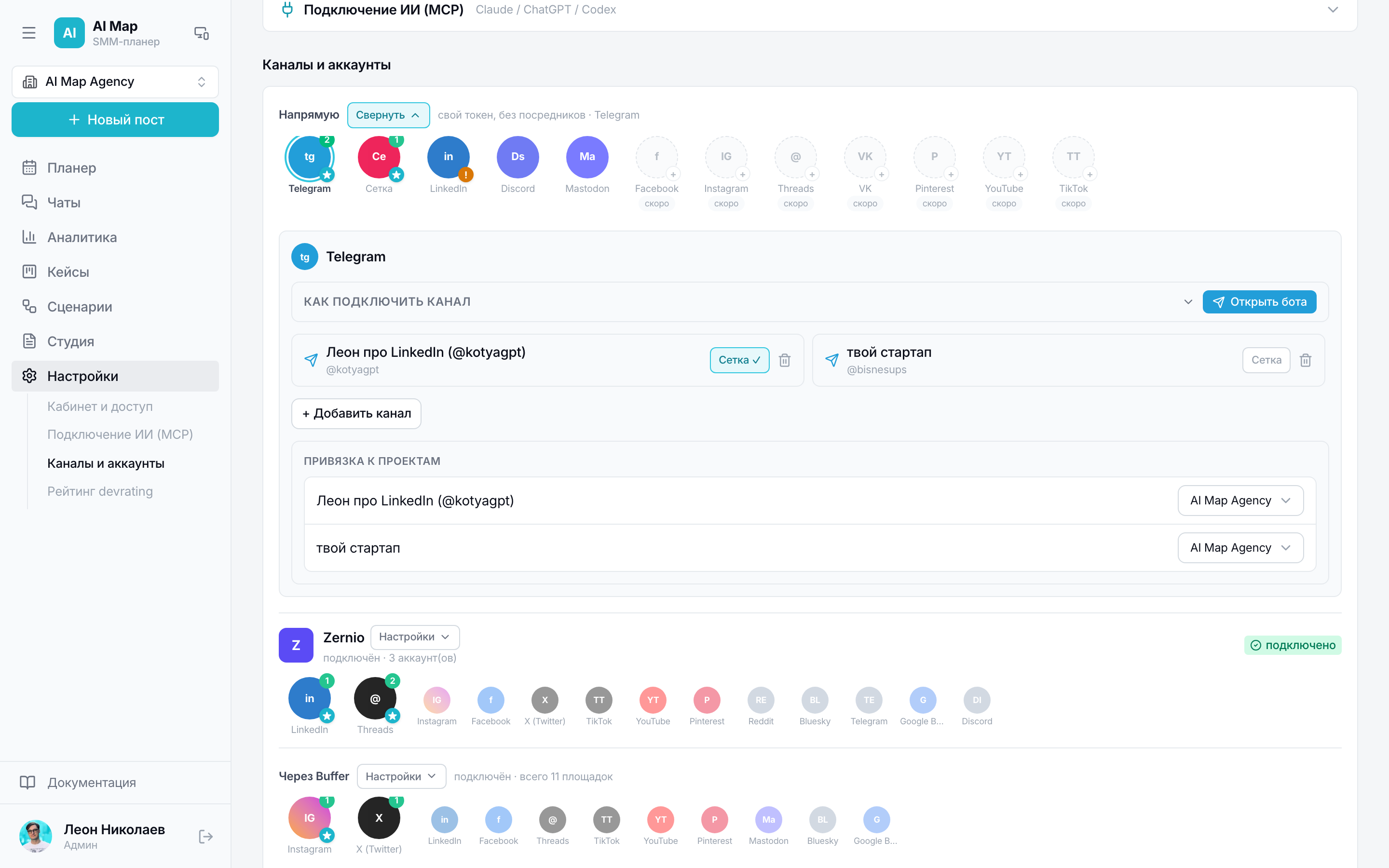
Directly
Your own token, no intermediaries. Today Telegram and Setka work this way: the bot publishes to your channel, views and subscribers are collected from the channel's public page automatically.
LinkedIn directly can only publish — this access returns no statistics, so its numbers come via Zernio. Instagram, Threads and Facebook connect directly with their own sign-in; VK directly is marked “soon” — the working path is via SmmBox.
Zernio
Goes to the platforms' official APIs and brings what delivery engines don't have: reach, saves, shares, clicks and the daily curve for a year back — right away, not from the moment of connection. For LinkedIn and Threads it's the best route: it both publishes and counts.
- 1Create an account at zernio.com — the first two connections are free.
- 2Connect your social network there: authorisation happens on the platform itself.
- 3Copy the key: Settings → API Keys → Create API Key.
- 4Paste the key into Settings → Channels → Zernio.
Buffer
A delivery engine for 11 platforms. Publishes and returns post metrics — impressions, reactions, comments, clicks — including posts published outside it (up to 100 a day). Doesn't give reach, doesn't show history before connection.
SmmBox
An engine for the Russian-speaking web: VK, Odnoklassniki, MAX, Telegram, Instagram and others — 14 platforms in total. Publishes but returns no statistics at all: for its channels we only know the number of published posts.
One account can be connected through two routes at once. The publisher then picks one and says so in the post card — the second route would duplicate the post in the feed.
Telegram: one channel — one target
In Telegram each channel is added separately and chosen as a separate line in the post. So each channel has its own link, status and views, and publishing to one channel doesn't drag the neighbours along.